Tumor-Normal Classification Task Example
This tutorial shows how to run the tumor_normal evaluation task.
It uses HCC-2T as the example dataset.
Data Source And Assumptions
The HCC example is based on data from GSA-Human accession HRA000437.
Raw FASTQ files are processed through our standard upstream workflow first, and the resulting benchmark-ready package is then used as the input to ST-CNVBench.
In this tutorial, we assume:
- your
data.yamlcontains one dataset entry withdataset_id: HCC-2T - the standardized input package is already available for that dataset
tumor_normal_modeis set tode_novoraw.tumor_normal_gtis set to the real annotation ground truth used for evaluation- your
models.yamlalready configures the benchmark methods that supportde_novotumor-normal inference - your
eval.yamlfollows the same parameter structure asconfigs/templates/eval.template.yaml
For detailed config requirements, see Dataset Preparation, Model Run, and Evaluation.
Step 1: Prepare Data
Run:
st-cnvbench --steps prep \
  --data-config data.yaml \
  --prep-ids HCC-2T
Check the prepared dataset under:
<output.root>/
Expected standardized outputs include:
filtered_feature_bc_matrix/filtered_feature_bc_matrix.h5adspatial/tissue_positions.csvmetadata_HCC-2T_tumor_normal.tsvor the corresponding standardized tumor-normal annotation file
Step 2: Run Models
Run all benchmark methods that support de_novo tumor-normal inference:
st-cnvbench --steps run \
  --data-config data.yaml \
  --model-config models.yaml \
  --prep-ids HCC-2T \
  --exec-mode conda
Check raw model outputs under:
<results_dir>/HCC-2T/<model_name>/
Step 3: Evaluate Tumor-Normal Classification
Run tumor_normal evaluation across all configured methods that support this task:
st-cnvbench --steps eval \
  --data-config data.yaml \
  --eval-config eval.yaml \
  --prep-ids HCC-2T \
  --eval-tasks tumor_normal
Check evaluation outputs under:
<eval_dir>/HCC-2T/tumor_normal/
Typical outputs include:
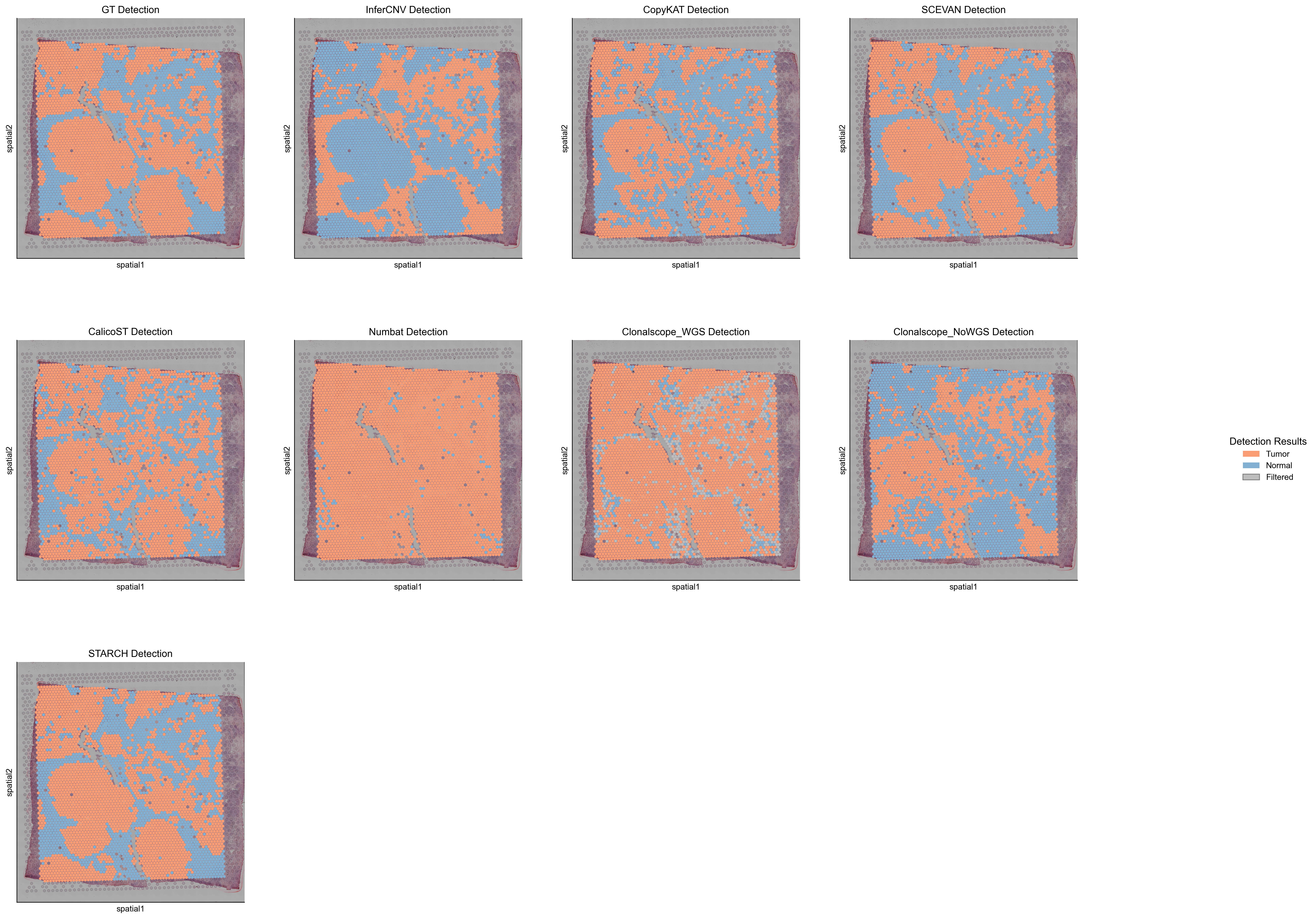
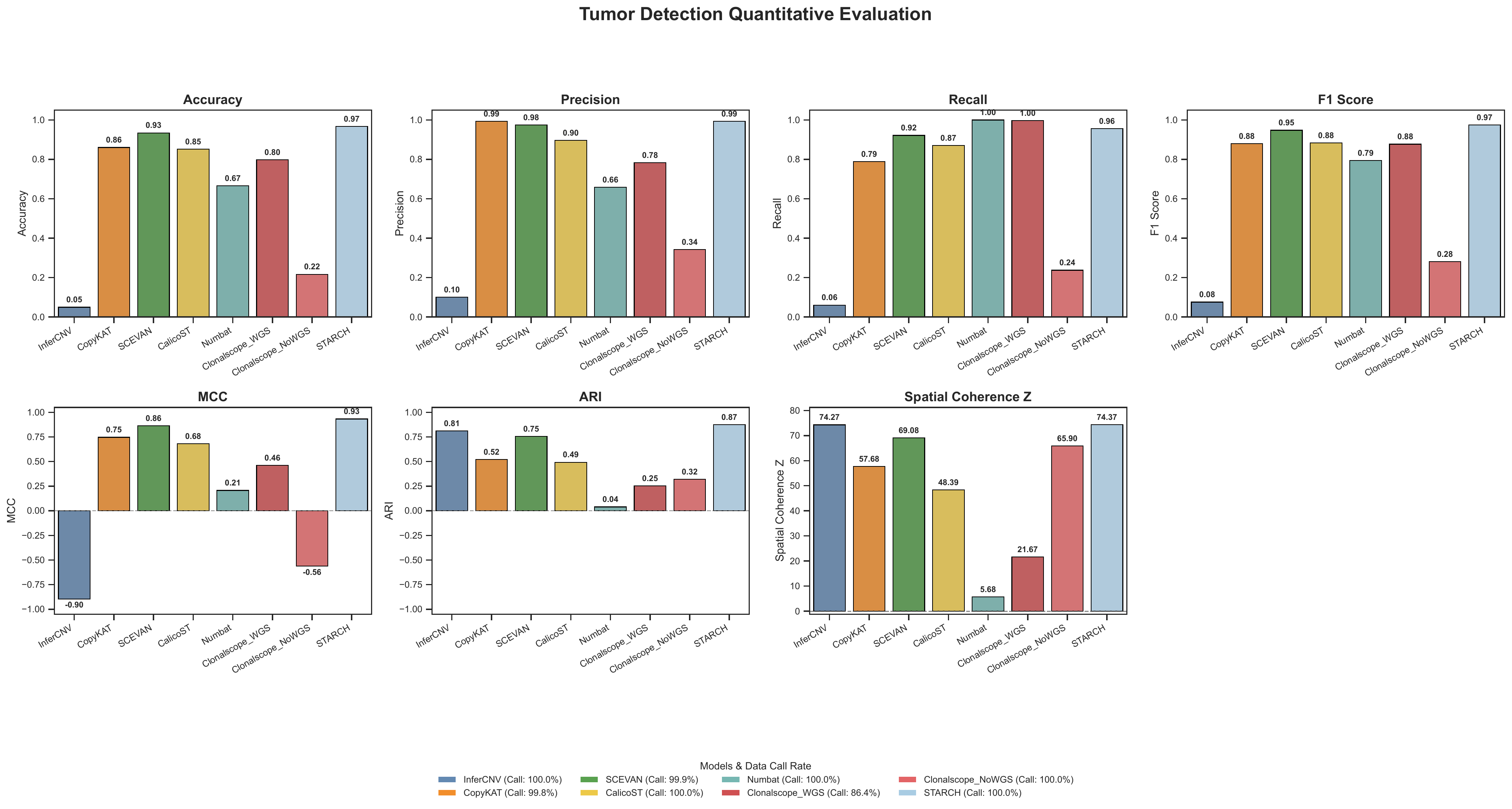
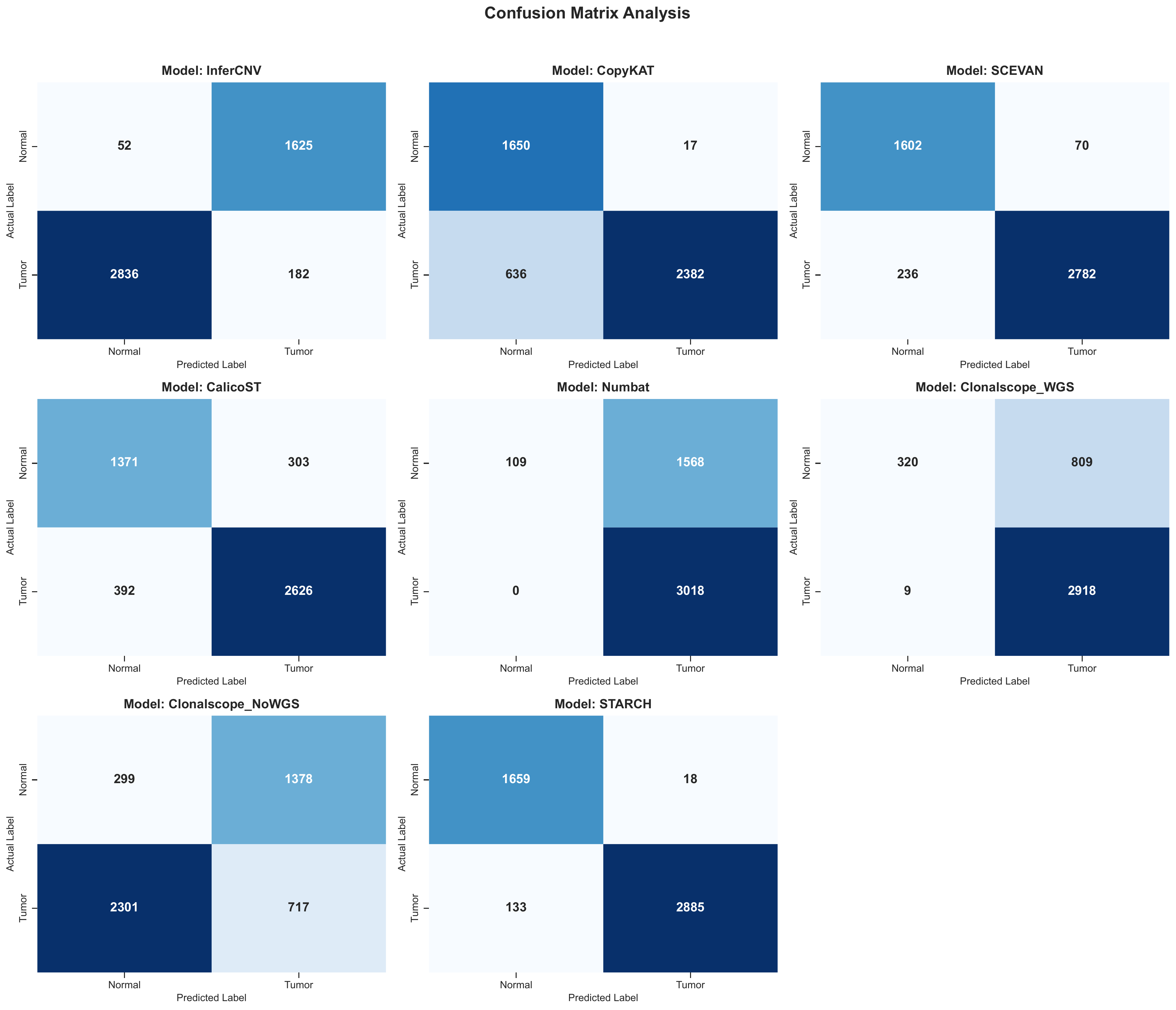
aligned_spot_predictions.tsvdetection_metrics_summary.csvtumor_normal_prediction_comparison.pngtumor_normal_metrics_summary.pdftumor_normal_confusion_matrices.pdf
Example Results
Spatial Prediction Comparison
This figure shows the tumor-normal spatial prediction maps across methods.
Metrics Summary
This figure summarizes the main tumor-normal classification metrics across methods.
Confusion Matrices
This figure shows the confusion-matrix comparison across methods.
Try Next
- For the packaged cSCC demo, go to Quickstart Demo And Expected Outputs
- For the CNV profile task example, go to CNV Profile Task Example
- For the subclone task example, go to Subclone Identification Task Example
- To adapt the workflow to your own data, go to Use Your Own Dataset